Star Walk 2 Plus: Sky Map View
Vito TechnologyEducation
4.519.99K Reviews
- Version
- 2.22.0
- Installs
- 10.00M
- Age Rating
- Everyone
Screenshots

Our Review of Star Walk 2 Plus: Sky Map View
 Analysis by Appyee
I like astronomy apps best when they help me answer one simple question: what am I looking at right now? Star Walk 2 Plus: Sky Map View is built around that moment. It turns a phone into a guide to the sky, pairing a live-looking map with explanations that can make an unfamiliar bright point feel less mysterious. It is an education app from Vito Technology, and its approachable style makes it a reasonable place to begin even if you cannot name a single constellation.
The app is free to install, with in-app purchases ranging from $0.99 to $9.99 per item. Its Everyone age rating reflects the broad audience it is designed for, though younger users will still get more from it if an adult helps connect the screen to the real sky. A 4.6 average from around 556,000 ratings and more than 10 million installs suggest that it has reached a large audience, but what matters most to me is whether it can make a first stargazing attempt feel manageable.
Getting Started with Star Walk 2 Plus
First things first, downloading and setting up the Star Walk 2 Plus app is a breeze. Available for both Android and iOS, it’s just a quick download from the app store, and you’re ready to explore the universe. The app greets you with a sleek interface and a simple tutorial to get you oriented. Trust me, even if you’re not a tech wizard, you’ll find it easy to navigate.
Make Your First Sky Match
For your first useful session, choose a clear evening and step somewhere you can see a reasonable patch of sky. Open the map, point your phone in the direction you are looking, and move it slowly rather than swinging it around. Give the display a moment to settle, then compare the stars on screen with the brighter points overhead. This is more reassuring than trying to identify a whole constellation at once: start with one conspicuous object and use the map to work outward.
If the view seems confusing, check that you are holding the phone in the same direction you are actually facing. A sky map is tied to orientation, so looking at the screen while pointing the phone toward the ground or turning your body midway through a search can make the match feel wrong. I find it helps to stop moving for a beat, look up, and then bring the phone back into view. The app is a guide to what is above you, not a replacement for checking the horizon and the conditions around you.
Features That Make It Shine
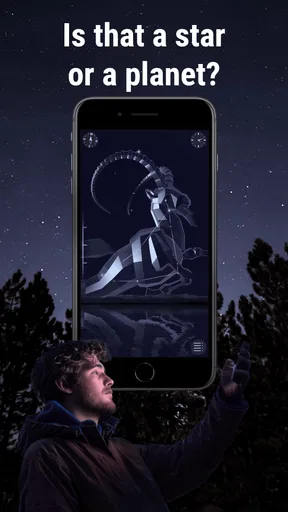
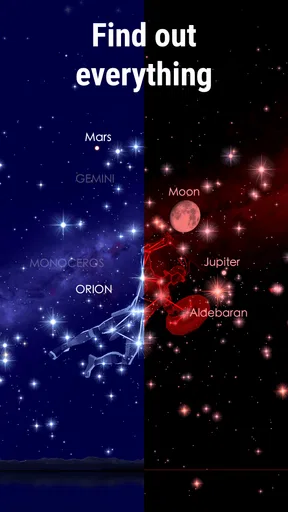
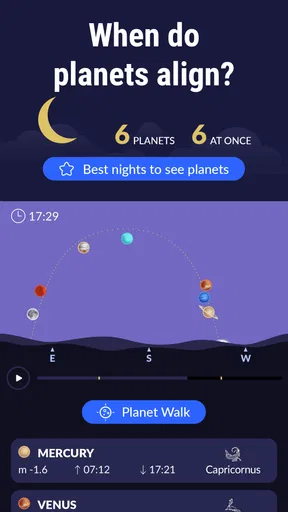
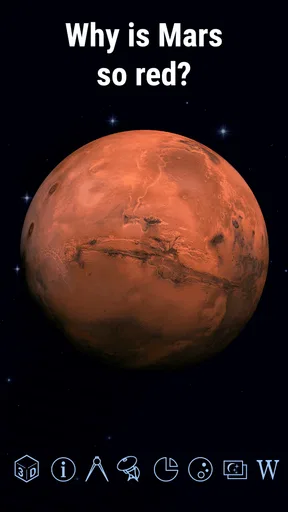
One of the coolest features of this app is its augmented reality mode. By simply pointing your device towards the sky, the app overlays constellations, planets, and even distant galaxies right on your screen. It’s like having a planetarium in your pocket! And if that isn’t enough, the app provides detailed information about each celestial object. From mythological backgrounds to scientific data, it’s all there at your fingertips.
The most useful habit is to treat the labels as a starting point, not a checklist. Pick one object that catches your attention, open its information, and then return to the sky to see where it sits relative to nearby stars. That little back-and-forth turns browsing into orientation practice. It also helps prevent a common disappointment: expecting every labeled object to look dramatic to the naked eye. The map can identify far more than you can clearly see from a bright street or a hazy evening.
Ever wondered what the sky looked like on a special date? The app’s time travel feature lets you view the sky map from any day in history or peek into the future. It’s a feature that adds a personal touch to your stargazing.
That time control is useful even when you are not chasing a particular anniversary. If a promising object is low or obscured at the moment you check, changing the time can help you understand how the sky shifts and why coming back later may be worthwhile. I would use it to plan a relaxed second look, rather than assuming a map view at a different time guarantees ideal viewing conditions. Weather, buildings, trees, and local light still decide what you can see outside.
From a Quick Look to a Small Routine
A realistic first outing does not need to become a full astronomy project. Imagine stepping outside after dinner because a bright point caught your eye on the walk home. Open the app, aim toward it, read the identification, then look away from the screen and try to find the same point again. If you have a few more minutes, use the nearby map labels to notice what else is in that part of the sky. That short loop—identify, look up, and confirm—is more satisfying than spending the whole time staring at the phone.
For a family outing, I would let one person hold the phone while everyone else looks up and guesses which bright points might match the display. Then rotate who controls the map. This keeps the app from becoming a private screen activity and gives children a concrete question to solve. It also makes the educational material easier to absorb: a name or fact has somewhere visible to attach, instead of arriving as a stream of unrelated astronomy terms.
As someone who loves both tech and astronomy, I appreciate how Star Walk 2 Plus balances functionality with an intuitive user experience. The app’s design is visually appealing, with soothing colors and smooth animations that make navigation a pleasure. Plus, it’s packed with educational content without feeling overwhelming. The developers clearly thought about how to make learning about the stars accessible and engaging for everyone.
For beginners, I would resist the urge to learn every label in one sitting. The sky is easier to remember in small landmarks: one bright object, a nearby pattern, and a direction to find them again. Use the app to check your guess, then put the phone down for a moment and see whether you can still locate the object. That simple pause reveals whether the information has stuck, and it keeps the screen from taking over the experience.
What Can Feel Tricky
Phone orientation is the first source of friction. A map that does not line up with what you see can feel like an app error, but the mismatch may come from how the device is being held or from moving while you compare the display with the sky. Slow, deliberate movements are more helpful than repeatedly waving the phone. If the display still seems off, reset your stance and try again rather than assuming the object itself has moved.
The second adjustment is learning what the map can and cannot show visually. Labels for distant objects are useful for locating and learning about them, but they should not create the expectation that those objects will appear as detailed shapes overhead. In ordinary viewing conditions, many faint stars and deep-sky targets are difficult or impossible to pick out without suitable equipment and a dark sky. The app’s strongest beginner role is identification and context, not a promise of spectacular naked-eye views.
There is also a practical trade-off in using a bright phone outdoors at night. Looking at the screen for long stretches can make it harder to enjoy the dimmer parts of the sky, so I would check a label, lower my gaze from the display, and give my eyes time to adjust before searching again. This is especially worthwhile away from city lights, where faint details are easier to lose after looking at a bright screen. The app remains useful, but shorter screen checks make the outing feel more like stargazing.
Learning Beyond the Labels
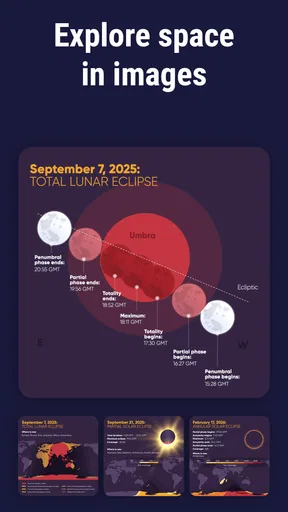
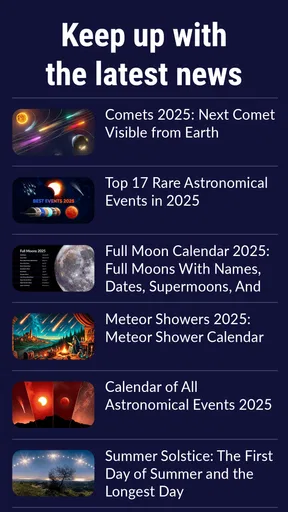
For those who want to dive deeper, the app offers a plethora of additional resources. You can explore various celestial events, like meteor showers and eclipses, complete with notifications to ensure you never miss a cosmic event. This makes the app a perfect companion for both casual users and budding astronomers alike.
I would use event information as a prompt to make a plan, not as a guarantee that an event will be visible from my spot. A notification can remind you to look, while clouds, nearby buildings, and the direction of the horizon determine what the night actually offers. Checking the sky map beforehand can help you arrive with a rough idea of where to look, which is more useful than opening the app only after you have already gone outside.
Compared with a basic star chart or a general web search, the appeal here is the direct connection between the phone’s view and the patch of sky you are trying to understand. A printed chart can be calmer and easier on night vision, and a search is often faster if you only want a single fact. But neither gives the same immediate, point-and-check interaction. I would choose this app for exploratory walks and informal learning; someone planning serious telescope sessions may prefer a more specialized tool and a separate observing plan.
It is also a good fit for curious people who want to build confidence gradually rather than study astronomy in advance. Someone who already knows the constellations and wants technical observing controls may find the approachable presentation less important than specialist capabilities. Likewise, if you only want a static reference to consult indoors, a simple chart may be enough. The value here comes from carrying the map outside and using it to connect names, patterns, and directions in real time.
Considering the Price Tag
Now, let’s talk about the elephant in the room: cost. The app isn’t free, but given the wealth of information and features it provides, it’s a worthwhile investment for anyone serious about stargazing. There are no annoying ads to disrupt your experience, and the price is pretty reasonable considering the quality of the content offered.
Star Walk 2 Plus is free to install, and optional in-app purchases are priced from $0.99 to $9.99 per item. That makes it sensible to begin with the experience available to you before deciding whether a purchase suits your habits. If your use is occasional—checking a planet or learning a constellation during a clear evening—you may not need to spend anything. If you return regularly to the educational material or event tools, consider whether the available extras match what you actually use instead of buying simply because you expect every astronomy app to require an upgrade.
The app has a 4.6 average from around 556,000 ratings, and it has been installed more than 10 million times. Those figures give a sense of its broad reach, but they do not tell you whether its style suits your own needs. The current version is 2.19.2, and it runs on Android 7.0 or later. I would check that your device meets the requirement before planning an outing around it, particularly if you are setting it up on an older phone.
If you’re still on the fence, the app does offer a free version with limited features. It’s a great way to test the waters before diving into the full version.
Who I’d Recommend It To
I would recommend it to first-time stargazers, families who want a shared outdoor activity, and anyone who often looks up but feels unsure what they are seeing. It is especially handy when you have only a few minutes: identify one bright object, read a little about it, and move on with a better sense of the sky. The visual map makes the first step less intimidating than beginning with a dense astronomy guide.
I would steer someone toward another approach if they need a specialist observing workflow, are mainly interested in detailed telescope planning, or would rather avoid using a screen outdoors. A paper chart can be a better companion for preserving night vision, while a more technical astronomy tool may suit an experienced observer. The right choice depends on whether you want an approachable guide to the sky or a more demanding instrument for a focused observing session.
A More Grounded Final Impression
In a world where we're constantly looking down at our screens, Star Walk 2 Plus: Sky Map View encourages us to look up and appreciate the beauty of the universe. It’s an app that turns the night sky into a canvas of discovery, inviting users of all ages to explore and learn.
Whether you're a seasoned astronomer or just someone who enjoys a night under the stars, this app is a game-changer. With its user-friendly interface, rich content, and beautiful design, Star Walk 2 Plus is more than just an app; it's your personal guide to the cosmos.
My more measured recommendation is to treat it as a friendly first guide rather than a complete substitute for experience, a dark location, or specialist equipment. Start with one visible point, use the map to identify it, and give yourself time to notice the surrounding sky. If that small success makes you curious enough to go outside again, the app has done its most valuable job.
Privacy and Permissions
See what permissions an app requests and how it handles your data.
- Location
- approximate location (network-based), precise location (GPS and network-based)
- Photos/Media/Files
- read the contents of your USB storage, modify or delete the contents of your USB storage
- Storage
- read the contents of your USB storage, modify or delete the contents of your USB storage
- Camera
- take pictures and videos
- Microphone
- record audio
- Other
- view network connections, send sticky broadcast, full network access, run at startup, control vibration, prevent device from sleeping, Google Play license check
Verdict
Strengths of Star Walk 2 Plus: Sky Map View
- Beautifully designed, intuitive interface.
- Offers detailed astronomical data.
- Real-time star and planet tracking.
- Augmented reality feature enhances experience.
- Works offline for remote locations.
Limitations of Star Walk 2 Plus: Sky Map View
- In-app purchases can be pricey.
- May drain battery quickly.
- Requires location access at all times.
- Occasional glitches in AR mode.
- Limited free features without upgrade.
Other Releases by Vito Technology
View All
Sky Tonight - Star Gazer Guide
Books & Reference4.7
Similar Picks in This Category
View All
Duolingo: Language Lessons
Duolingo4.7

Google Classroom
Google LLC2.8

Unacademy: Learn & Crack Exams
Unacademy3.2

Bible App for Kids
Life.Church4.4

Cake - Learn English & Korean
Cake Corp.4.7

Brainly: AI Homework Helper
Brainly4.5
Frequently Asked Questions
What is Star Walk 2 Plus and how does it work?
Star Walk 2 Plus is an interactive astronomy guide that helps users explore the night sky using augmented reality. It works by utilizing your device's GPS, gyroscope, and accelerometer to provide real-time positioning of stars, planets, and constellations. Simply point your device towards the sky, and the app will identify celestial objects for you.
Is Star Walk 2 Plus suitable for beginners in astronomy?
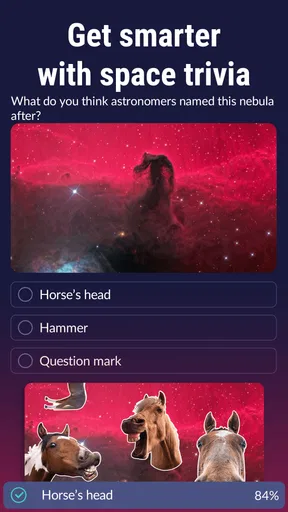
Yes, Star Walk 2 Plus is designed to be user-friendly and suitable for both beginners and experienced stargazers. It features an intuitive interface and provides detailed information about celestial objects, making it easy for users to learn about astronomy at their own pace. Interactive guides and tutorials are also available to enhance the learning experience.
Does Star Walk 2 Plus require an internet connection?
Star Walk 2 Plus primarily operates offline, which means you can explore the sky without an active internet connection. However, some features, like downloading additional data or updates, may require internet access. This makes it convenient for stargazing in remote areas where a stable connection might not be available.
What devices are compatible with Star Walk 2 Plus?
Star Walk 2 Plus is available for both Android and iOS devices. It requires a device with a functional GPS, gyroscope, and accelerometer for optimal performance. Ensure your device runs on the latest operating system for the best experience, as older devices may face compatibility issues or limited functionality.
Are there any in-app purchases or ads in Star Walk 2 Plus?
Star Walk 2 Plus offers a premium experience without ads, but it does include optional in-app purchases. These purchases may offer enhanced features, such as access to more detailed astronomical data or exclusive content. While the app is feature-rich on its own, these additions can further enrich your stargazing experience.
